
Showing posts with label Freeware. Show all posts
Showing posts with label Freeware. Show all posts
Saturday, January 29, 2011
Software: 10 Minute Mail
So you wanna sign up to some service that offers you some free downloads but you don't wanna bit hit with a crapload of spam? Well, my friend, you gotta try 10 Minute Mail. Not to be confused with Missy Elliot's One Minute Man, 10 Minute Mail is a temporary e-mail address given to you for those very purposes. It basically throws itself out after the 10 minutes is up. But, of course, you could opt for another 10 minutes, if you need to. You could even use this as an e-mail to leave an anonymous comment here, or somewhere else, if you're worried about your privacy. Yes, websites do and will sell your information to third-parties when and where they can. So protect yourself!
I must say I was a little cheeky and made a few fake Facebook accounts using 10 Minute Mail. And I totally came across this link. It's not like anyone would have a name like the fake accounts I made. It's like when Phoebe's boyfriend, from that oh-so-popular sitcom, Friends, Mike called himself "Crap Bag".

Thursday, January 6, 2011
Software: Snippy & MWSnap
You might've just realized that Windows 7 Starter is so basic (like in my recent netbook review of the HP Mini 110-3138TU) that it doesn't come with the ever-so-useful Snipping Tool (yes, been there, done that and found nothing in the Accessories folder - I even tried copying the program from another computer but it looks like it has to be installed or something). But no need to fear! There are free options over the Internet that do pretty much the same thing, such as Snippy and MWSnap.
The thing is with Snippy though, is that it works a little different from Snipping Tool. What you do instead of selecting an area of the screen to take a snapshot of, you actually use a lasso-like red pen to select what you want to capture and that gets saved to your clipboard. You then open a program like Microsoft Word and paste it there to look at it. And it pretty much looks like the picture that's on their website.


The thing is with Snippy though, is that it works a little different from Snipping Tool. What you do instead of selecting an area of the screen to take a snapshot of, you actually use a lasso-like red pen to select what you want to capture and that gets saved to your clipboard. You then open a program like Microsoft Word and paste it there to look at it. And it pretty much looks like the picture that's on their website.

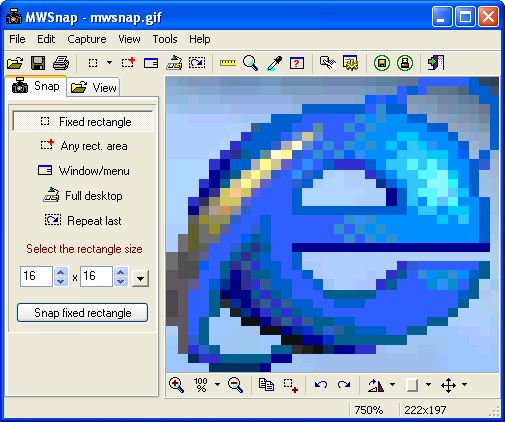
MWSnap, on the other hand is more closer to Snipping Tool, in that you would usually take a snapshot of a screen using a rectangle (as a default setting) - like in the sample snapshot below, as advertised on their website. Either way, I would say both programs fit the bill nicely, although I usually take screen captures of my whole desktop more frequently than I do of a selection of text and images.
Subscribe to:
Posts (Atom)